Finding a Google Place ID
-
Open the Place ID Finder.
-
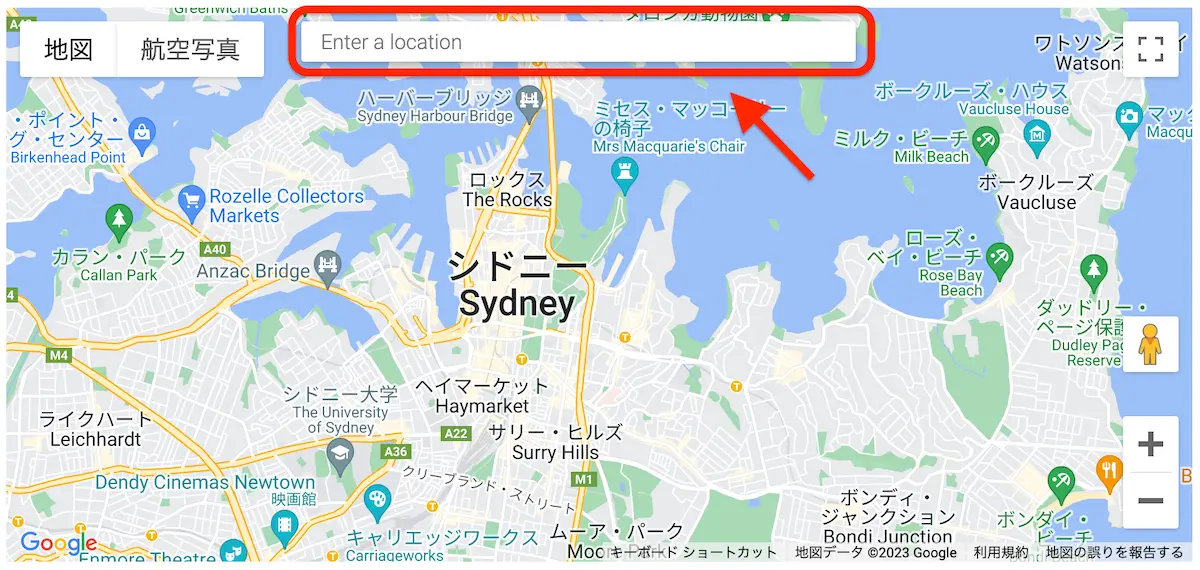
Select "Enter a location" above the map.
-
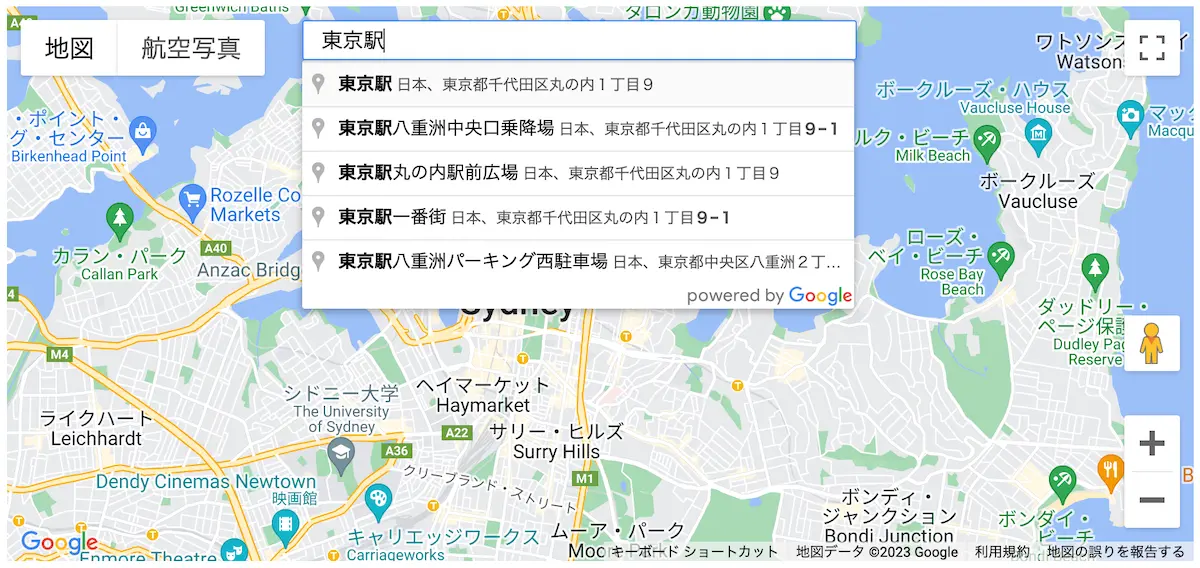
Enter the facility name and candidates will appear automatically — select the matching facility.
-
The facility information will appear in a popup — copy the "Place ID" value.
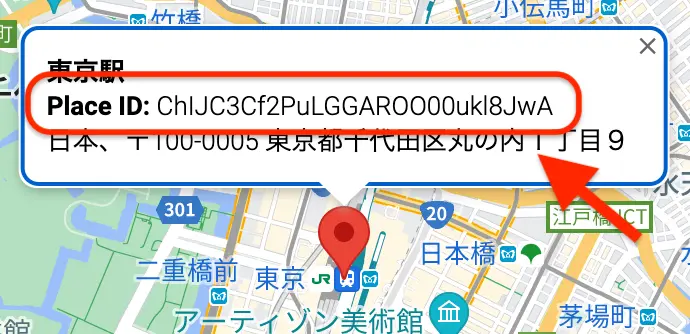 Example
ChIJC3Cf2PuLGGAROO00ukl8JwA
-
Enter the copied value in column L of the data format.