User Registration
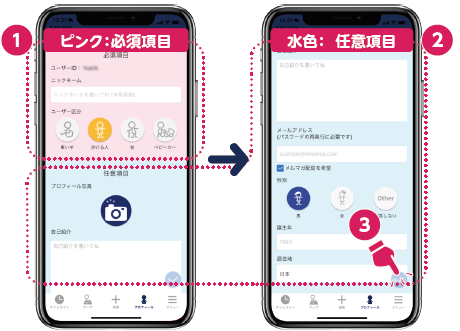
1. Choose a sign-in method
Choose from three sign-in options: Google, Apple (iOS only), or WheeLog!.
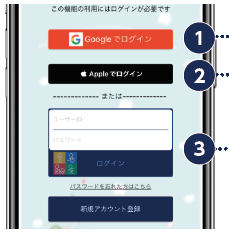
2. Create your account
- Apple
- WheeLog!
3. Set up your profile
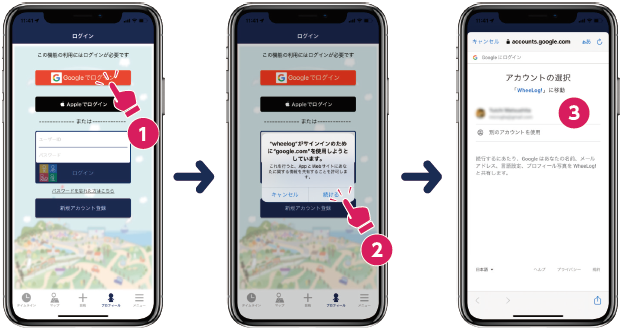
Finally, fill in your profile information to complete registration.
- Enter your details: Fill in your nickname, user type, and optional fields.
- Save: Tap the checkmark button in the top right to save.