Posting TrackLogs
You can record the routes you travel in your wheelchair as a TrackLog.
Wheelchair Types
You can record TrackLogs for different types of wheelchairs.
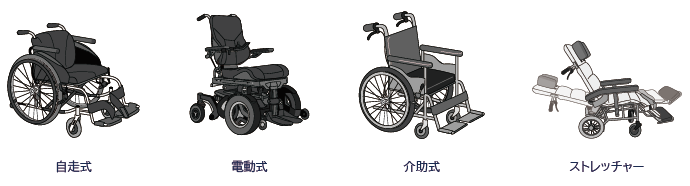
Location Settings
To accurately record TrackLogs, you need to set location access to "Always Allow." The default setting (Allow only while using the app) cannot obtain accurate background location data.
iOS
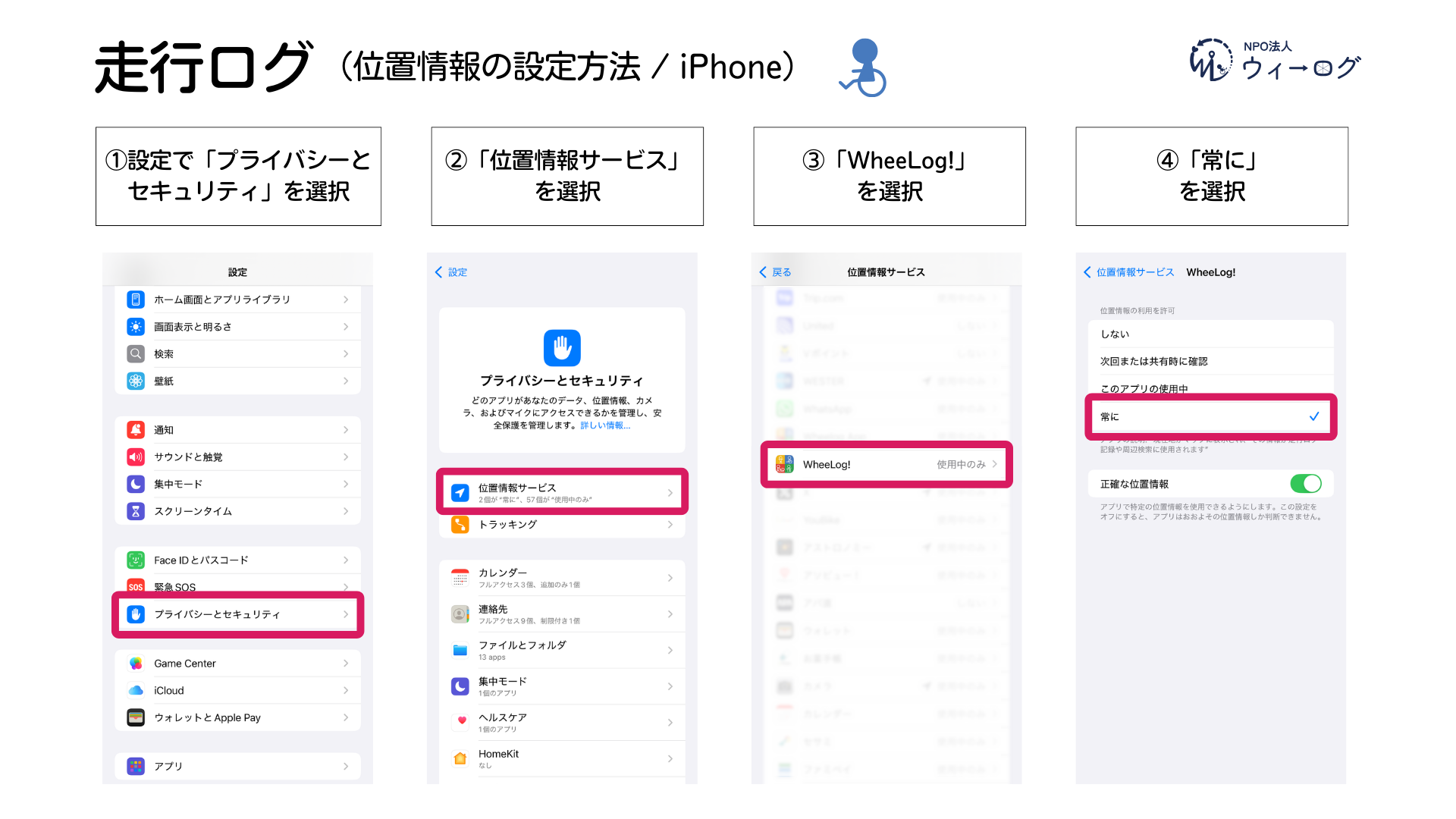
- Go to Settings > "Privacy & Security" > "Location Services"
- Select "WheeLog!"
- Choose "Always"
Android
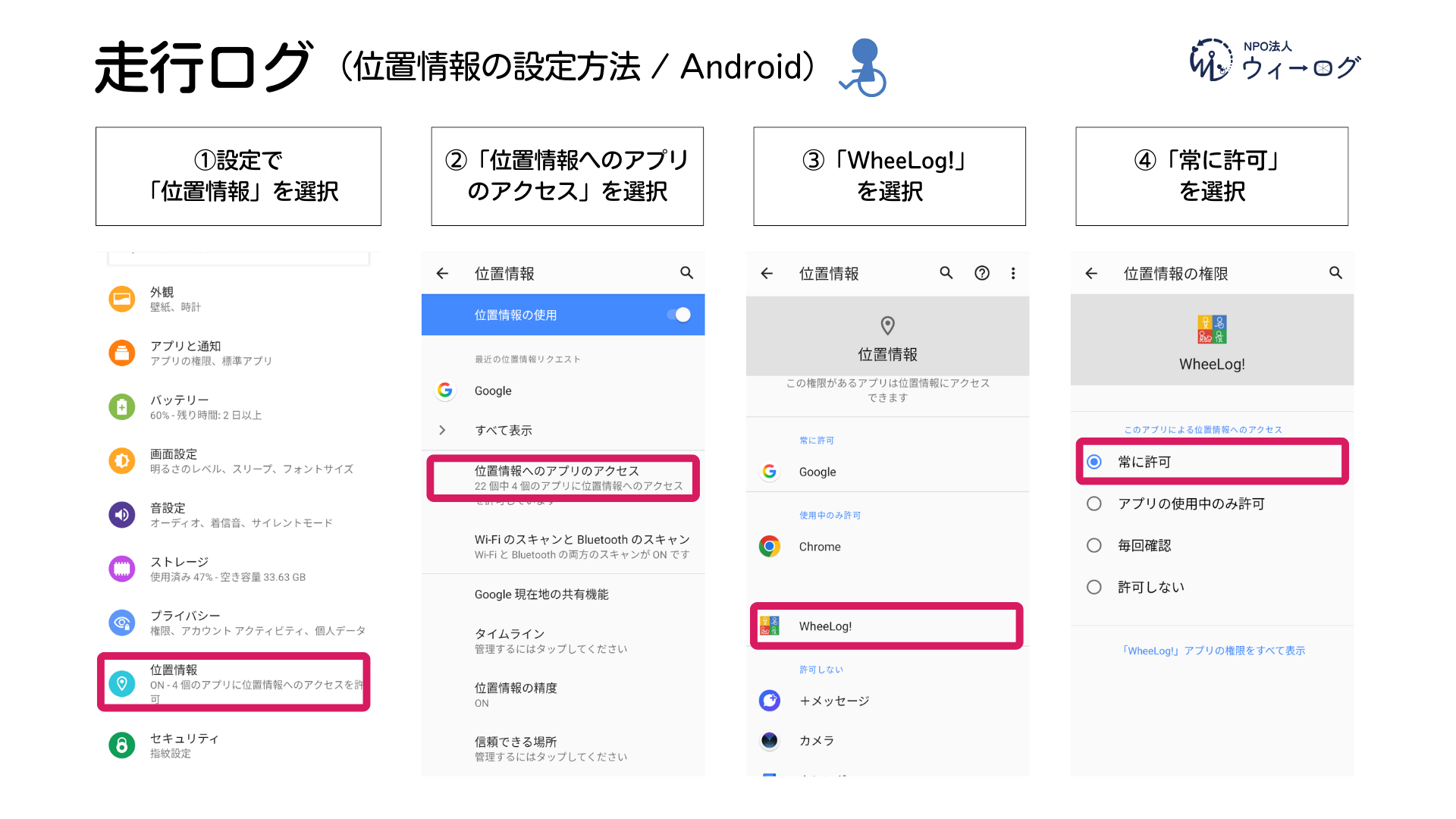
- Go to Settings > "Location"
- Tap "App permissions" > "WheeLog!"
- Choose "Allow all the time"
How to Post a TrackLog
1. Start recording
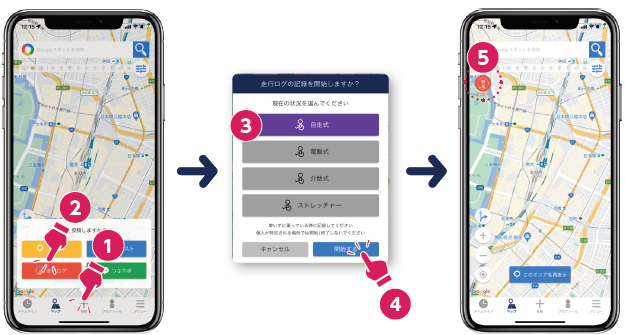
- Tap "+ Post" > "TrackLog" in the menu
- Select your current wheelchair type
- Tap "Start"
- A "Recording" icon appears in the upper left of the map.
2. Travel by wheelchair
Prohibited
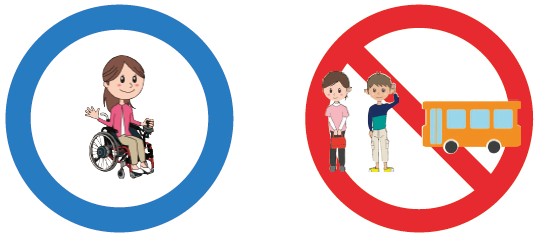
- TrackLogs are for recording routes traveled in a wheelchair.
- Do not record while walking or riding on a bus, train, or other vehicle.
warning
- Recording may not be accurate in areas with poor network connectivity.
- We recommend not starting or ending your TrackLog at places where you can be identified, such as your home or workplace.
tip
The TrackLog continues to record in the background even when the app is closed.
3. Finish recording
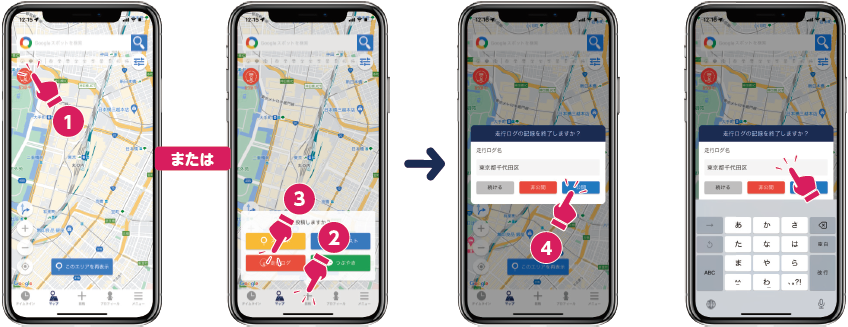
- Tap the "Recording" icon in the upper left of the map
- Choose "Publish" (or private) to finish
- After posting, you can edit the name or change the visibility from My Page.